 RollPoll
The guide · Section 6 of 15
What a voter sees
The ballot, the texted code, the registration number, the receipt, and changing a vote.
The ballot
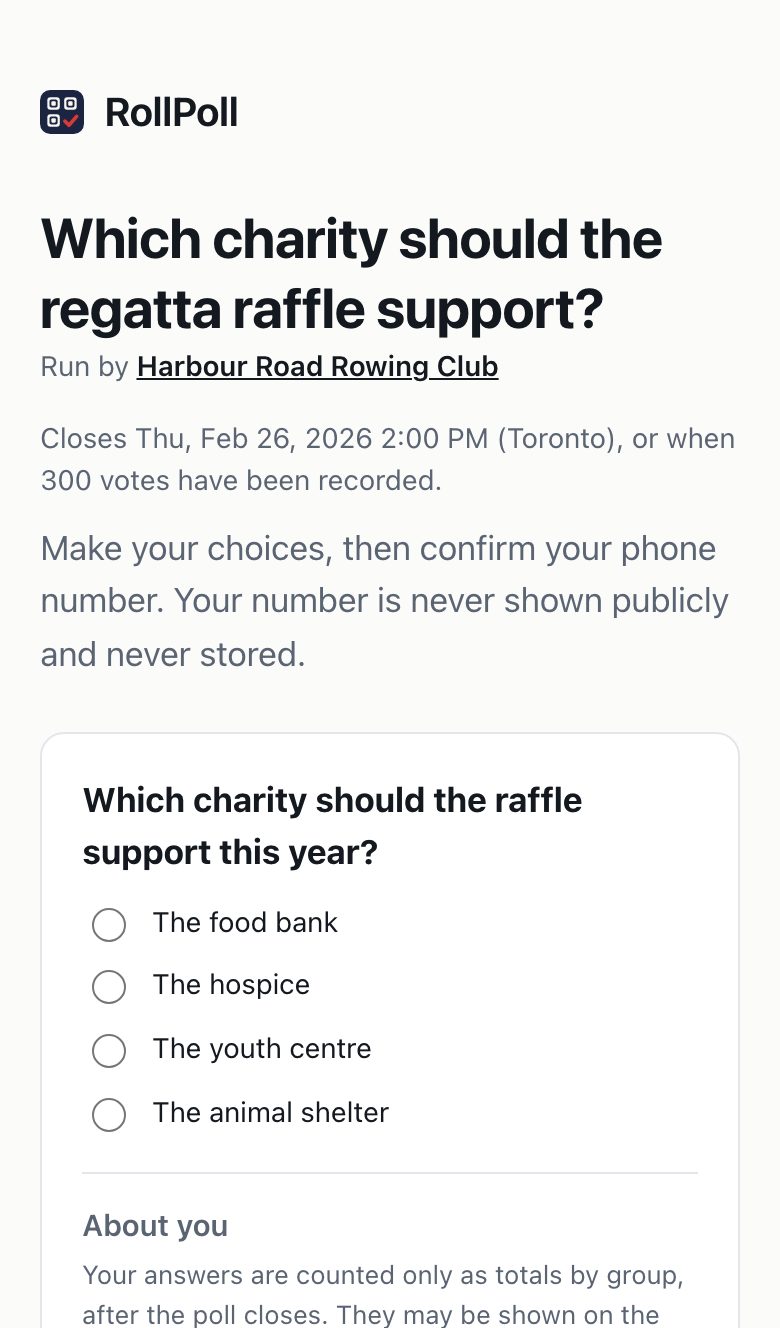
A voter scans your QR code or opens your link on their phone. They see the poll's title, your name, when it closes, and the choices. They make their pick and press Continue.
If you ask about your voters, your questions follow the choices under About you, with one line: Your answers are counted only as totals by group, after the poll closes. They may be shown on the public results. See Questions about your voters.
Under the choices: Nothing counts until you confirm your phone. Beside it are See the results, Check the record and Contact organizer, so anyone can look before they vote.
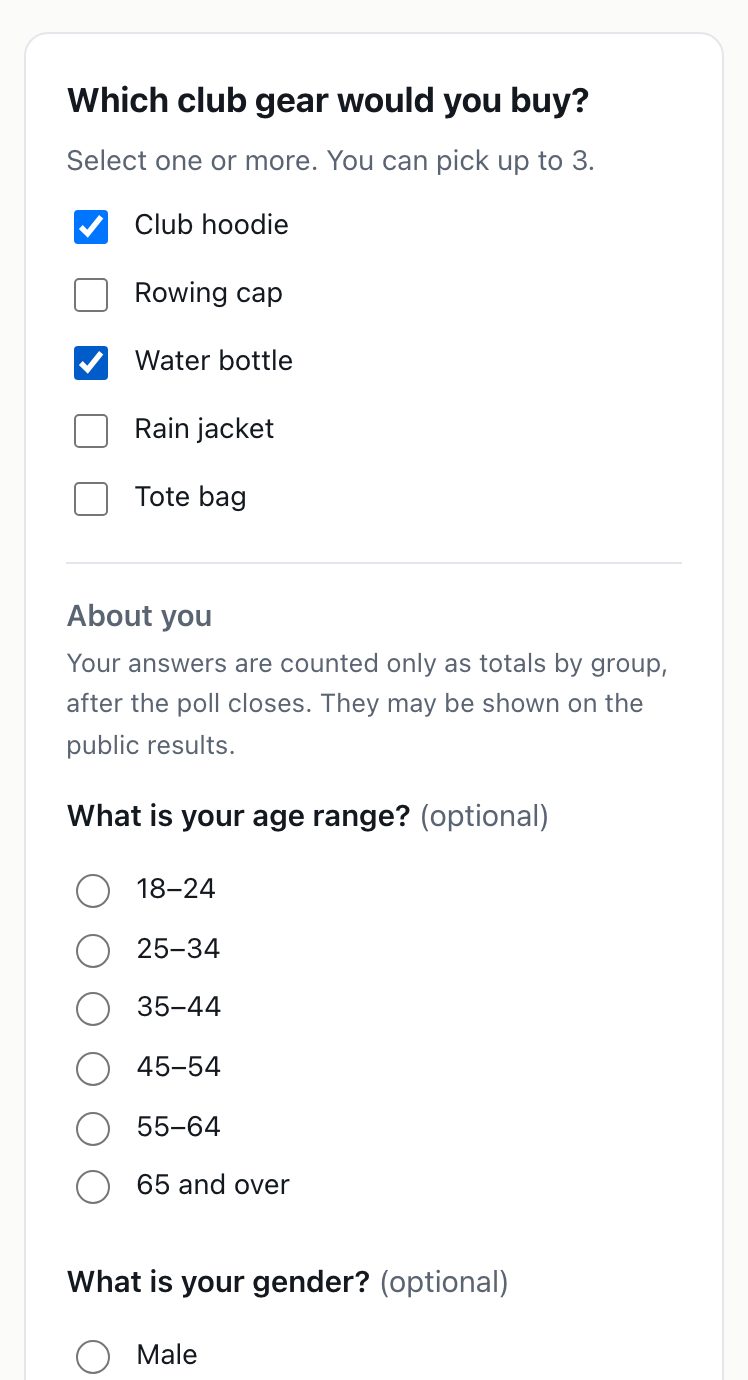
A multiple-choice ballot
On a Multiple choice question, the ballot says Select one or more. The voter ticks every choice they want. If you set a most they can pick, the ballot says so — You can pick up to 3. — and asks them to untick one if they tick more. Then they press Continue and confirm their phone, as on any poll.
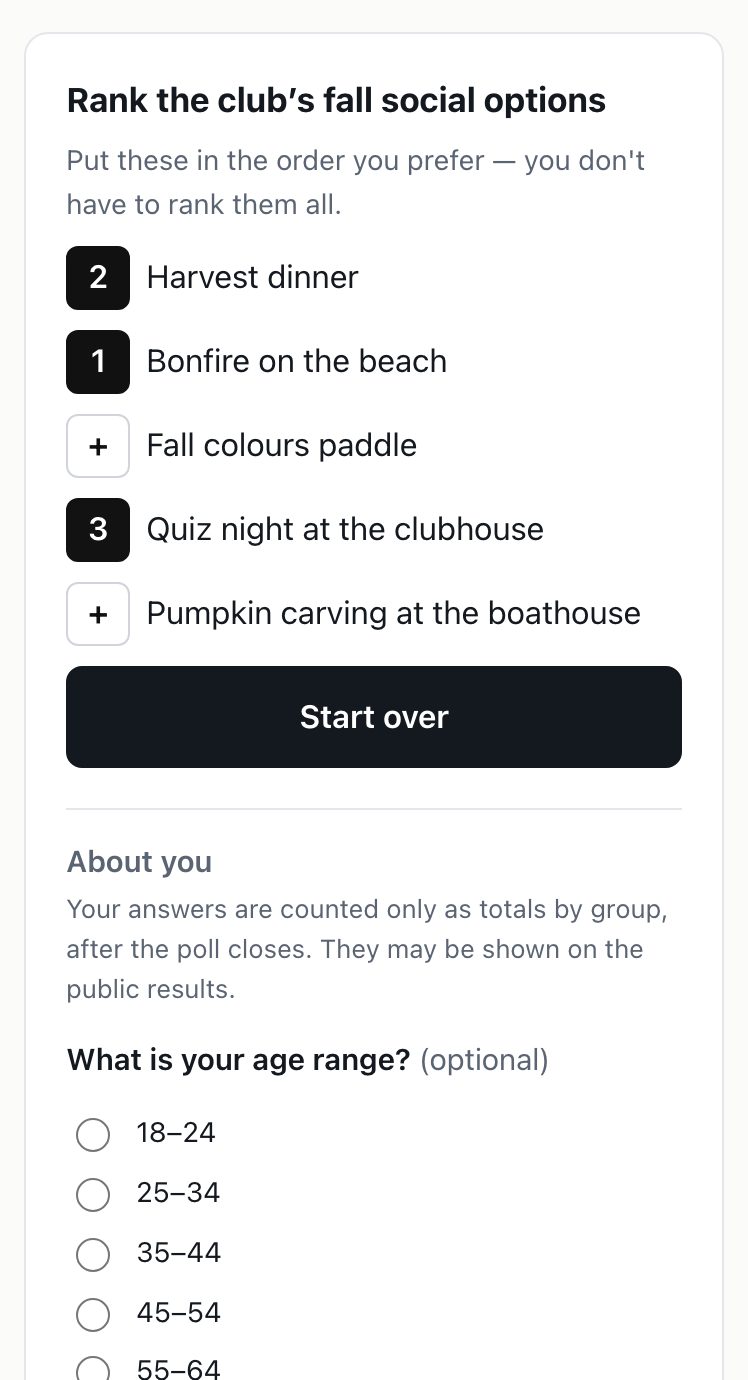
A ranked ballot
On a Ranked question, the ballot says Put these in the order you prefer — you don't have to rank them all. The voter taps their first choice, then their second, and so on, and each tap shows its number. Tapping a numbered choice again takes it out, and the ones after it move up. Start over clears the ranking. Then they press Continue and confirm their phone, as on any poll.
The code
Next, Confirm your phone. They type their Mobile number and press Text me a code.
We text a 6-digit code. They type it under Verification code and press Confirm my vote. If it doesn't come, Send it again. If they typed the wrong number, Change it.
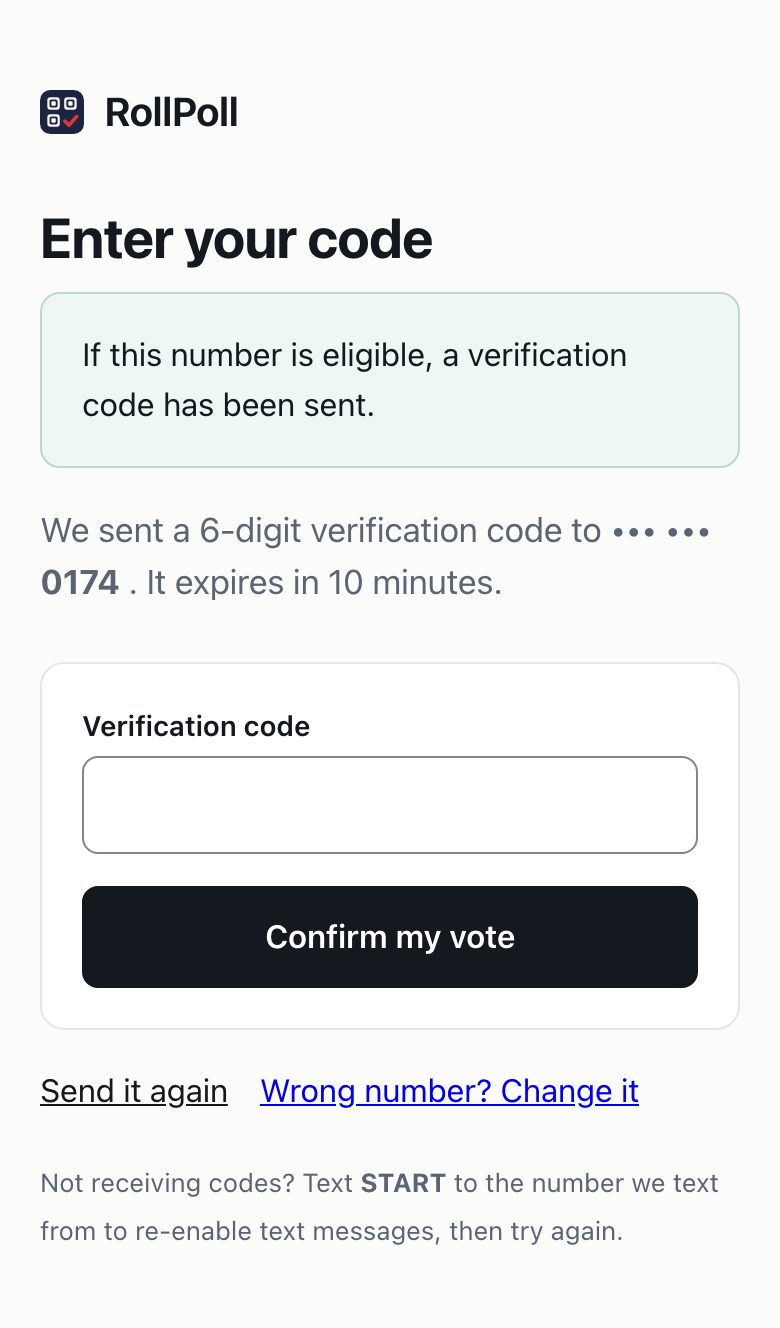
Their number is never published and never stored. What's kept is a scrambled fingerprint of it, which can't be turned back into the number — enough to know the same phone doesn't vote twice.
The registration number
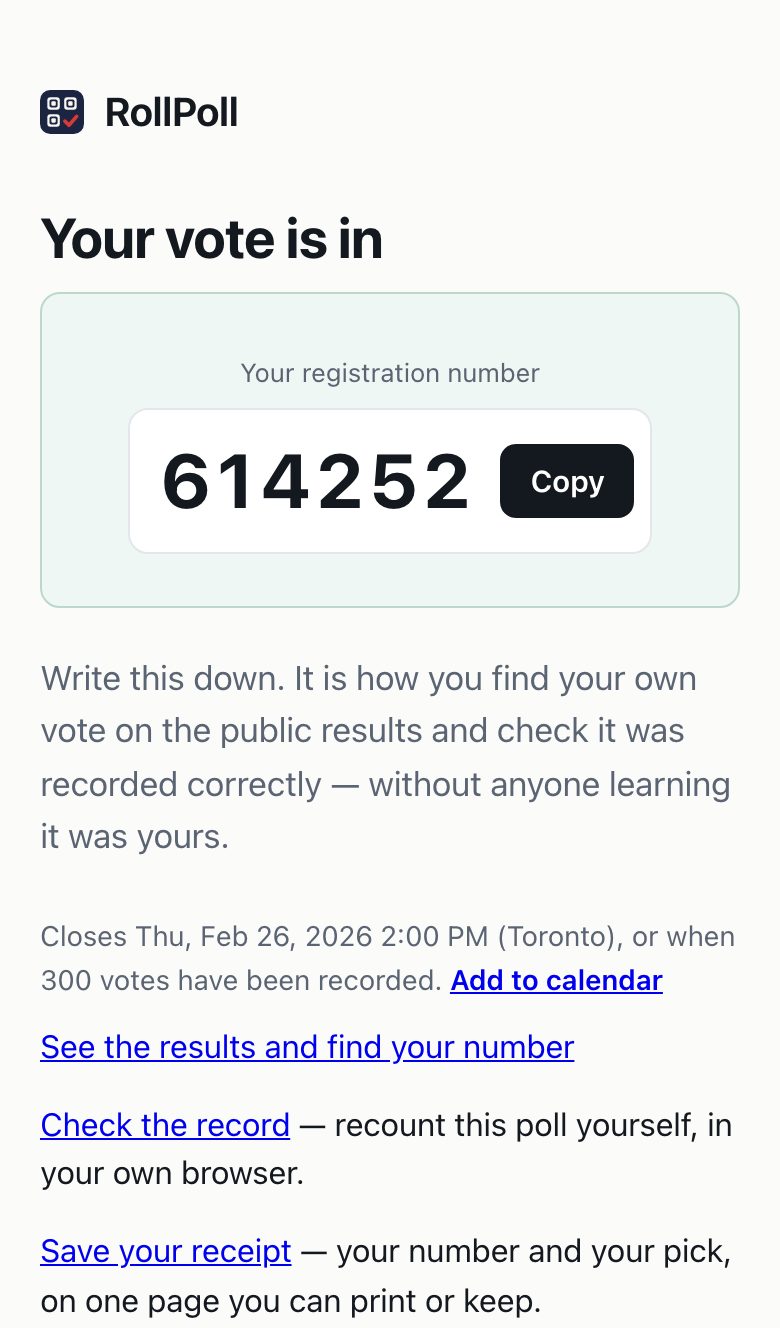
The vote is counted. The screen says Your vote is in and gives them Your registration number, six digits.
It's how they find their own vote on the public results and check it was recorded correctly, without anyone learning it was theirs. From here they can:
- See the results and find your number
- Check the record — recount the poll themselves, in their own browser.
- Save your receipt — their number and their pick, on one page to print or keep.
- Add to calendar — beside the line saying when the poll closes: a calendar event called Results: and the poll's question, with the results link and their registration number in it. It is one moment with no length, 5 minutes after the close, or at the close if you turned off Remind voters 5 minutes after the poll closes, and reminds them then. Nothing is kept or sent.
If your poll takes ideas, this screen also shows your Poll ideas list, where they can suggest and upvote. See Poll ideas.
Changing a vote
Changed your mind? A voter can change their vote any time until voting ends: they use the link in the text with their code, or come back to the poll and vote again from the same phone. Their registration number stays the same. Changing a vote is free.
Only the voter can change their vote, and only while the poll is open. You can't change or remove anyone's vote. If a poll must be undone, cancel it and run it again.
On an exit poll
On a poll set to Exit poll style, the vote can't be changed, the voting page says above the choices: Votes are final in this poll — once your vote is confirmed, it can't be changed. The sealed line follows it.
After Continue, the voter sees their pick on Check your vote — every question; a ranking in its order; several picks listed — with This vote is final — it can't be changed once it's confirmed. Change my pick goes back to the voting page with their picks kept; Continue goes on to the phone step. On a personal-link poll, Continue counts the vote.
Your vote is in and the receipt say Your vote is final — it can't be changed. in place of Changed your mind?. The text with the code says Your code is 482913. Votes are final. Results sealed until close, even from the organizer., then the poll's link and how to stop texts — one text.
A voter who comes back sees the same pages as anyone, up to and including the code — nothing before the code says their phone has voted. After the code: You’ve already voted, Votes in this poll can't be changed., and their registration number. Nothing changes and nothing is recorded.
The receipt
Your voting receipt shows the poll, the registration number and the pick. While the poll is open it says the vote can still be changed.
Still stuck? Signed in, use Contact RollPoll. Not signed in, Contact us.