 RollPoll
The guide · Section 5 of 15
Sharing
The poll's link and QR code, the results link, putting the results on your own website, and the big screen.
The link and the QR code
On the poll's screen, Share this poll has everything to pass the poll around:
- Copy link — the poll's own short link, for an email, a text or a post.
- Download QR — its QR code, as an SVG or a PNG file, for your own printing.
- Make a poster — a poster around the code. See Posters and signs.
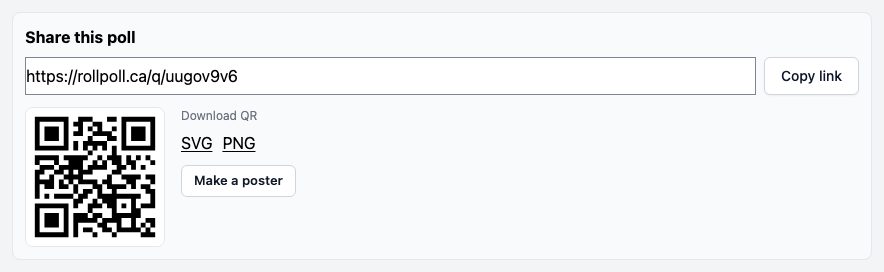
The same link and code are on Your polls: press Share on the poll's row.
A draft already has its link, so you can print posters before the poll opens. Anyone who scans before it opens reads “There's no open poll at this link.”
If you'd rather people only vote at your signs, turn off Allow sharing online. The poll then has no link and no QR code of its own. See Who can vote.
Your organizer page
Below the link and the QR code, Show this poll on my organizer page puts the poll on your organizer page: while it's open, with a link to vote, and once it has finished, with its results. It's off unless you turn it on, and you can change it whether the poll is a draft, open, closed or cancelled. Its own link, poster and QR code work the same either way.
It shows the poll only while Show my polls on my organizer page is on in Settings. While that's off, the choice is greyed and points you there. A members-only poll is never on your page, so it has no such choice. If you turned Allow sharing online off, the poll has no link to vote at, so it shows on your page once it has finished.
A round of a series can be set for you: Show every round of this series on my organizer page, on the series' own page, turns every round's choice on or off at once. A round set that way says On, from the series or Off, from the series under its choice until you change it here. See Series and permanent signs.

The results link
Copy results link, at the top of the poll's screen, copies the address of the public results page. Full results opens it.
Put the results on your own website
At the foot of the results page, Embed these results has a short piece of code. Press Copy embed code and paste it into your own web page. While the poll is open, the results there update on their own. After it closes, they show the final count. They link back to the results page, so anyone can check the record.
A member poll whose pages are Members only has no embed.
The big screen
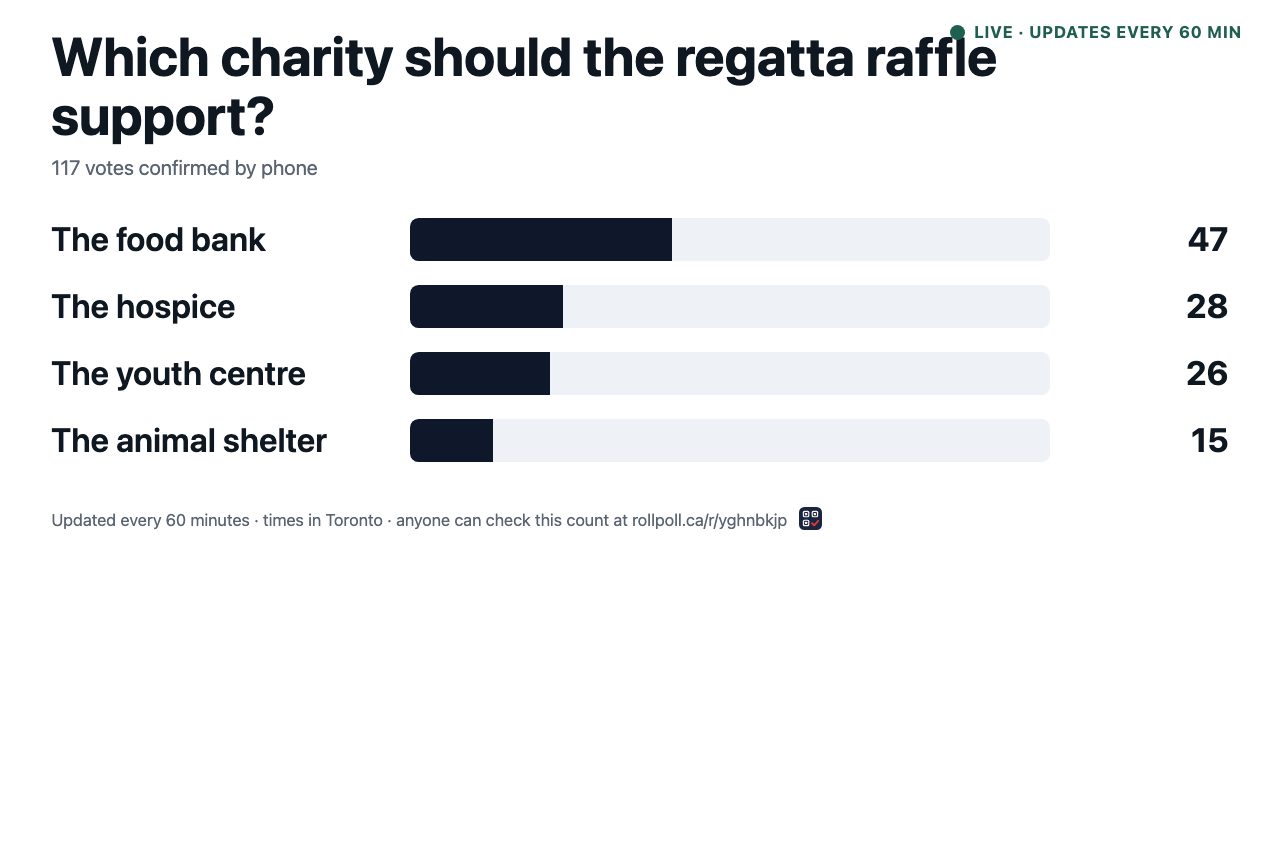
Press Big screen on the results page. It opens a page made for a TV or a projector in a hall: the question, the count and the bars, in large type. It updates as the results page does.
Voters share it too
After someone votes, their screen offers Share this poll, to send it to someone else who should have a say. Everyone votes the same way — one phone, one vote.
Still stuck? Signed in, use Contact RollPoll. Not signed in, Contact us.