 RollPoll
The guide · Section 12 of 15
Messages
When someone writes to you about a poll, answering them, and writing to RollPoll yourself.
Contact organizer
Anyone looking at one of your polls can write to you — a question about the choices, say. The voting page and the results page both have a Contact organizer link.
They write Your message, and can leave Your email address (optional) so you can reply. Their address is never shown to you, and yours is never shown to them. Replies happen on this site. A message is never connected to a vote, and you're never told whether the sender voted.
Read and reply
Every message about every poll is in Messages, at the top of the screen. The bell beside the ? shows how many are unread, and you're emailed when one arrives — at most one email per poll every ten minutes.
Press Read to open a message. Write your answer and press Send reply. The sender is emailed that you've replied, and reads it at their own private link.
If you'd like them to have your email address, press Share my email address with them. If they gave no email address, there's no way to reply, and the message says so.
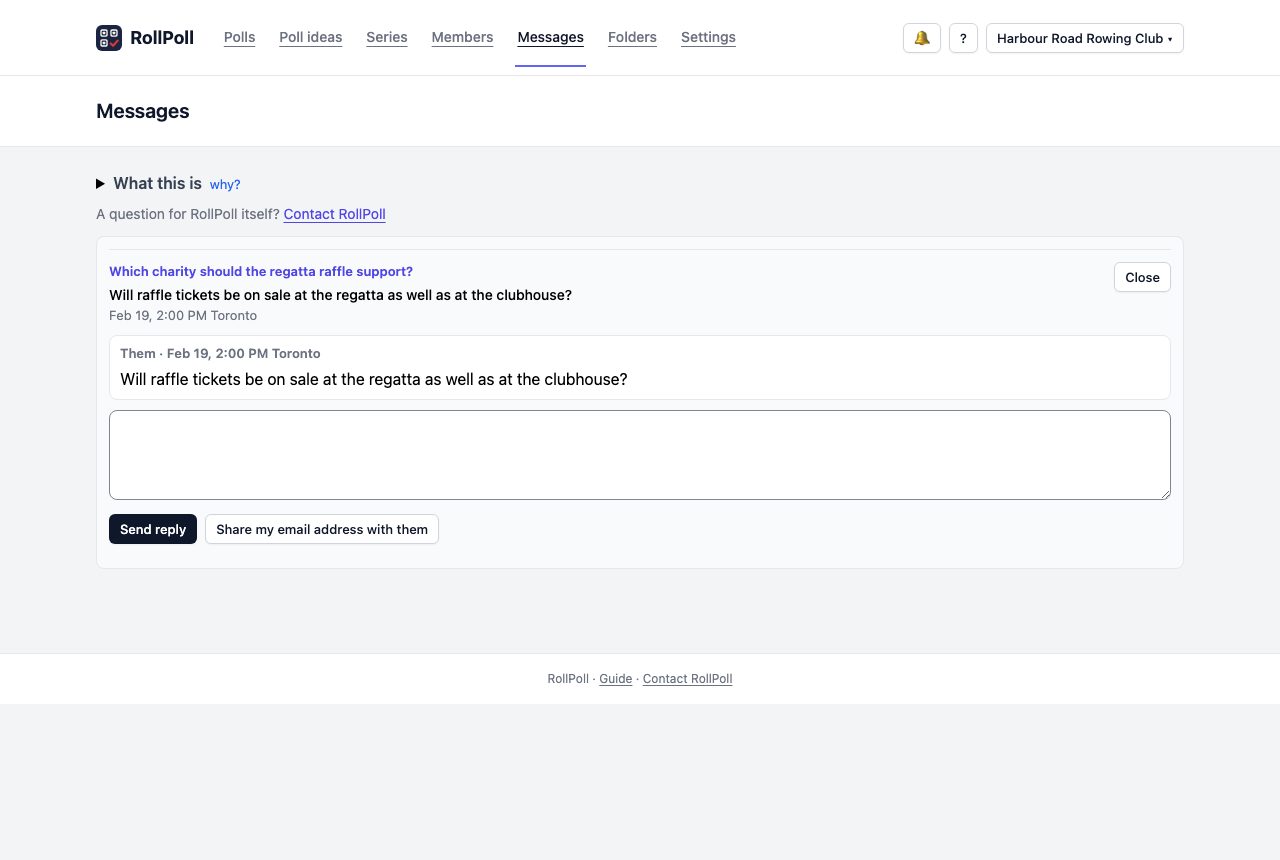
Each poll's screen has one line near the bottom with that poll's messages, and a link that opens Messages showing only them.
The bell's sound
Press the bell, 🔔, to open a short panel. Open Messages goes to your messages. Turn the sound on plays a short sound when a new message arrives while the site is open. On a phone, the panel opens across the screen, just under the bell. To close it, tap anywhere outside it, or press the bell again.
Contact RollPoll
A question for RollPoll itself — about your account, your votes or the site — goes to Contact RollPoll. The link is at the foot of every screen, and on Messages. Write Your message and press Send to RollPoll. The reply comes back to this page, under Your messages with RollPoll, and your bell lets you know. Once you have messages with RollPoll, Messages says how many, with an Open button that goes to them.
Not signed in? Use Contact us, at the foot of rollpoll.ca.
Still stuck? Signed in, use Contact RollPoll. Not signed in, Contact us.