 RollPoll
How voting works
The ballot, the texted code, your registration number, changing your vote (or not, on an exit poll), and checking the count.
The ballot
Make your pick and press Continue. Nothing counts until you confirm your phone.
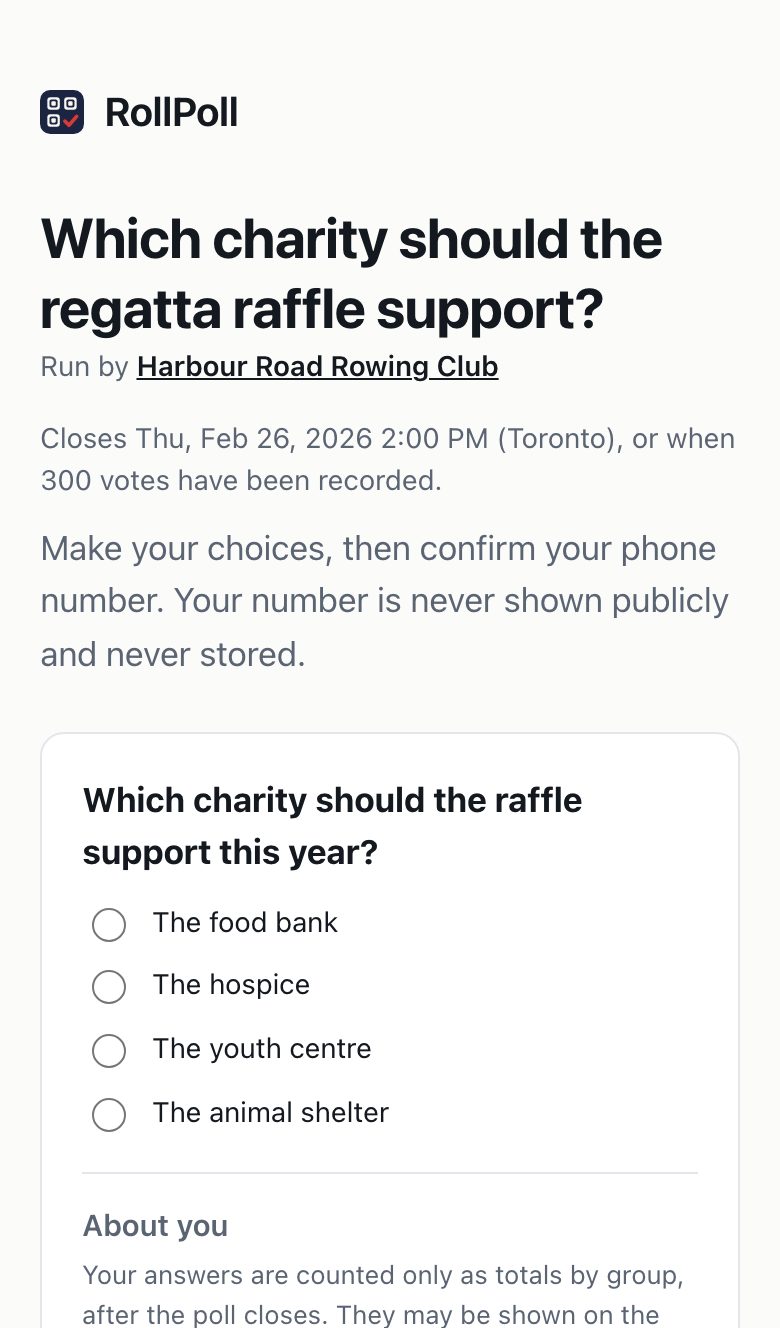
Questions about you
Some polls ask a little about you under the choices, headed About you: your age range, say. A question marked (optional) can be left empty; one marked Required can't. The ballot says: Your answers are counted only as totals by group, after the poll closes. They may be shown on the public results.
Results sealed until the poll closes
Some polls keep their results sealed until their closing date. The ballot says so above the choices: The results are sealed until the closing date, then the date, Until then they are shown to no one — not even the organizer. So do the code text, Your vote is in and the poll's signs. Such a poll can also end its voting sooner, when it reaches its vote limit; its results still wait for the date. A voter who arrives then sees Voting has ended. The results open and the date. Everyone sees the results together, at the closing date. If a poll with sealed results is cancelled, its votes are deleted without anyone seeing them.
A multiple-choice ballot
If the poll lets you pick more than one, tick every choice you want. The ballot says if there's a most you can pick.
A ranked ballot
If the poll asks you to rank, tap the choices in the order you prefer: your first tap is your 1, the next your 2. Tap a numbered choice again to take it out. You don't have to rank them all. Start over clears your ranking.
The code
Type your Mobile number and press Text me a code. You get one text with a 6-digit code.
Type the code and press Confirm my vote. That's how each person votes once: one phone, one vote. Your number is never published and never stored — only a scrambled fingerprint of it is kept, which can't be turned back into your number.
Your registration number
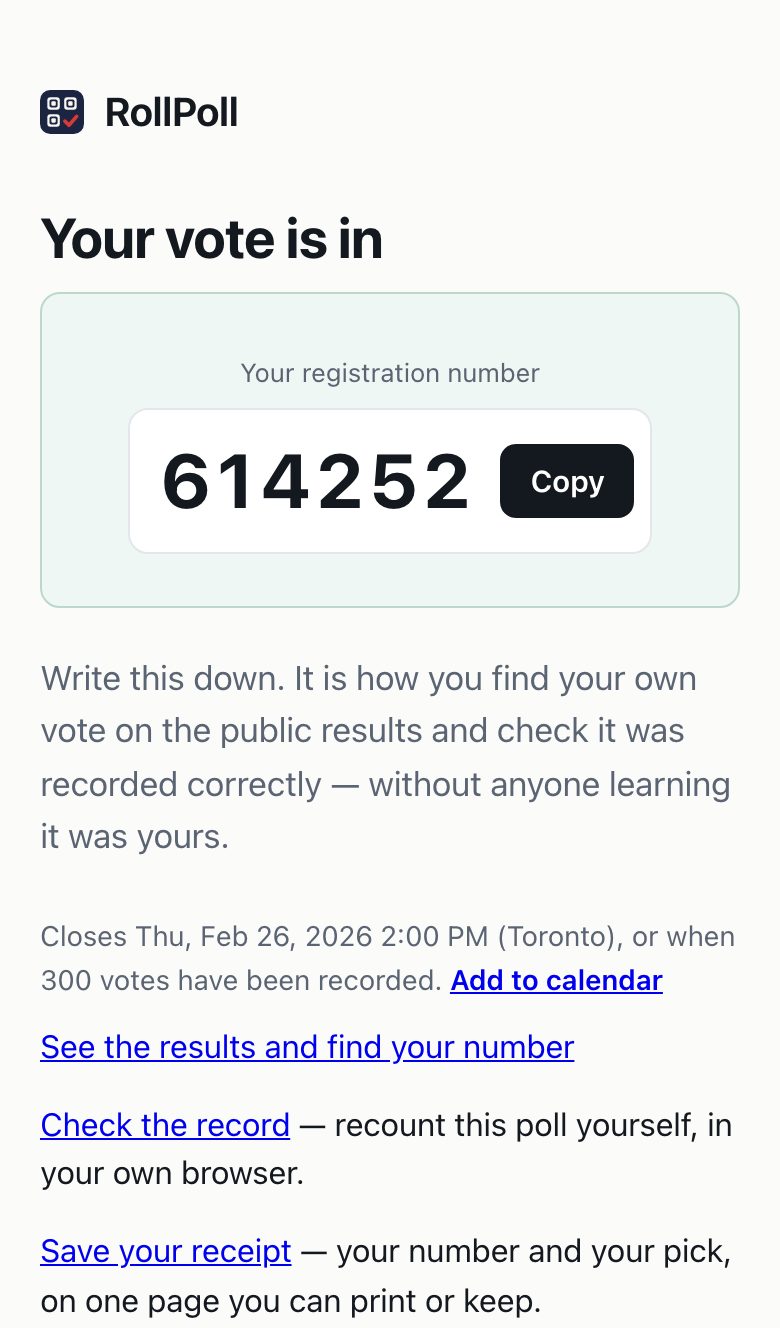
Your vote is in. You get Your registration number: six digits. Write it down, or press Save your receipt. Nobody else can tell from it who you are.
Under it, the screen says when the poll closes (on a poll with sealed results, when voting ends and when the results open), with Add to calendar beside it. It saves a calendar event at the moment the results are ready, with no length, called Results: and the poll's question, with the link to the results and your registration number in it, so your own calendar reminds you to come back for the result. It opens in Apple, Google and Outlook calendars. RollPoll keeps nothing about it and sends you nothing more.
Changing your vote
Changed your mind? Change your vote any time until voting ends: use the link in the text with your code, or come back to the poll on the same phone. Your registration number stays the same. Only you can change your vote.
Not on an exit poll: there, your vote is final once it's confirmed.
Exit polls: your vote is final
Some polls are exit polls. The voting page says so at the top: Votes are final in this poll — once your vote is confirmed, it can't be changed. Their results are always sealed until the poll closes.
After you press Continue, Check your vote shows your pick. Press Change my pick to go back with your picks as you left them, or Continue to go on to your phone. Once you enter your code, your vote is in, and it's final.
If you come back and vote again, you'll still get a code. After you enter it, you're told: You've already voted in this poll. Votes in this poll can't be changed. with your registration number. Your vote stays as you first cast it. Once the poll closes, find your number on the results to check it.
Checking the count
On the results page, type your registration number under Find your vote and press Find my row. Your row shows the choice you made. Every counted vote is listed, by registration number — never by name, never by phone.
If what it shows isn't what you chose, tell the organizer with Contact organizer.
Anyone can press Check the record and recount the whole poll in their own browser. The record can be added to but never rewritten. On a multiple-choice or ranked poll, that check proves the record hasn't changed; to count each choice or the rounds again, download the record from the results page.
Who runs the poll
Each poll is run by its own organizer, named at the top of the ballot. A question about the poll goes to them: Contact organizer.
Still stuck? Signed in, use Contact RollPoll. Not signed in, Contact us.